How to Change Your Spectrum WiFi Password (App or Spectrum.net, 2026)
Changing your Spectrum WiFi password is done in the My Spectrum app or on Spectrum.net, and it takes a couple of minutes. You don’t need to log in to the router: Spectrum manages its WiFi routers from your account, so you can do it from anywhere.
It’s worth doing as soon as your service is installed (the default password is on the router label), if you’ve shared it widely, or if you notice devices you don’t recognize. Here are both methods, what Spectrum calls each setting, and how to get your devices back online.
Tabla de Contenidos
Before you start: what Spectrum calls each setting
- Network name: also called the SSID. It’s what you see in your phone’s list of networks.
- Password: also called the network security key, WPA key or WPA/WPA2 passphrase. That’s your Spectrum WiFi password.
The default name and password are on the label on the back of your router or gateway. If you have Spectrum WiFi equipment from 2013 or later, you can also see them in your online account.
The ways to change your Spectrum WiFi password
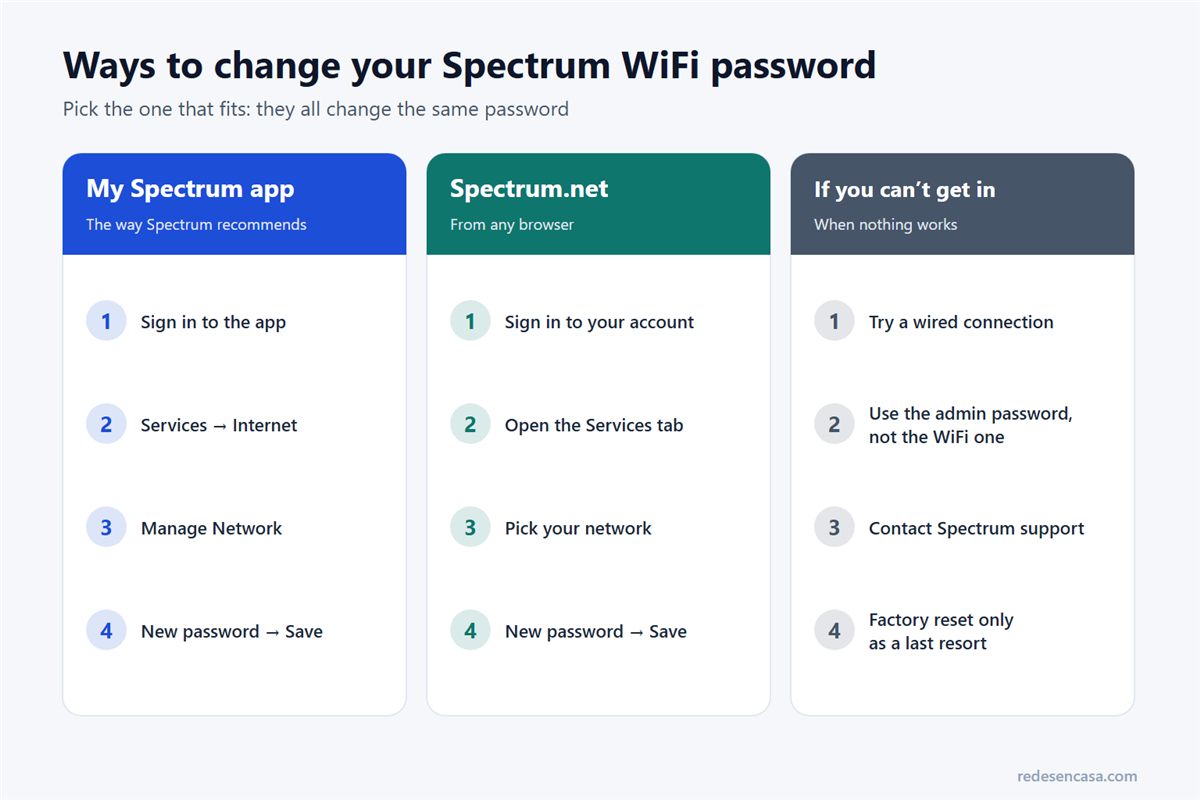
- My Spectrum app: the way Spectrum recommends, and the one you need for its Advanced WiFi features.
- Spectrum.net: the same thing from a browser, under the Services tab.
- Spectrum support: if you can’t get into your account.
Option 1: in the My Spectrum app
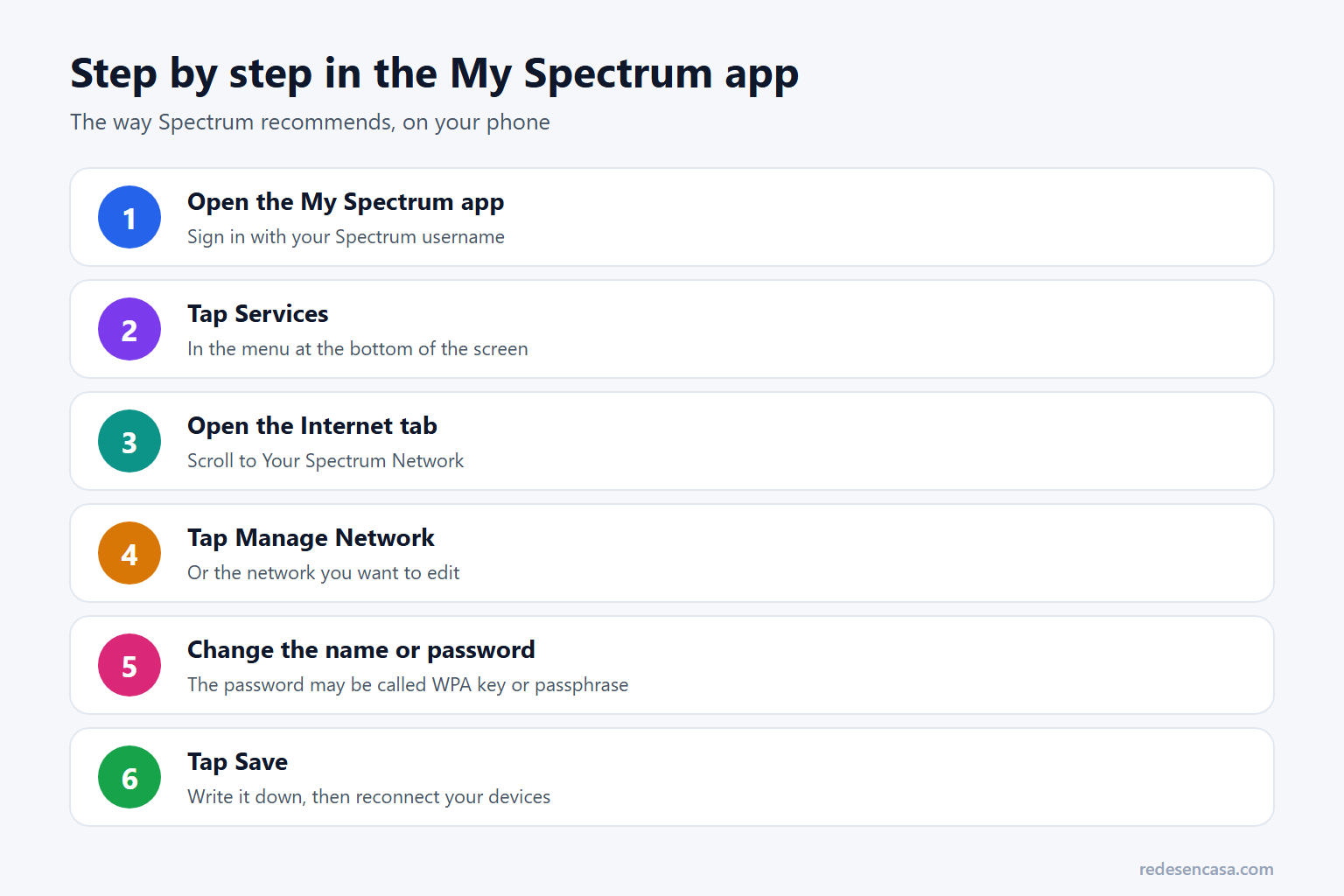
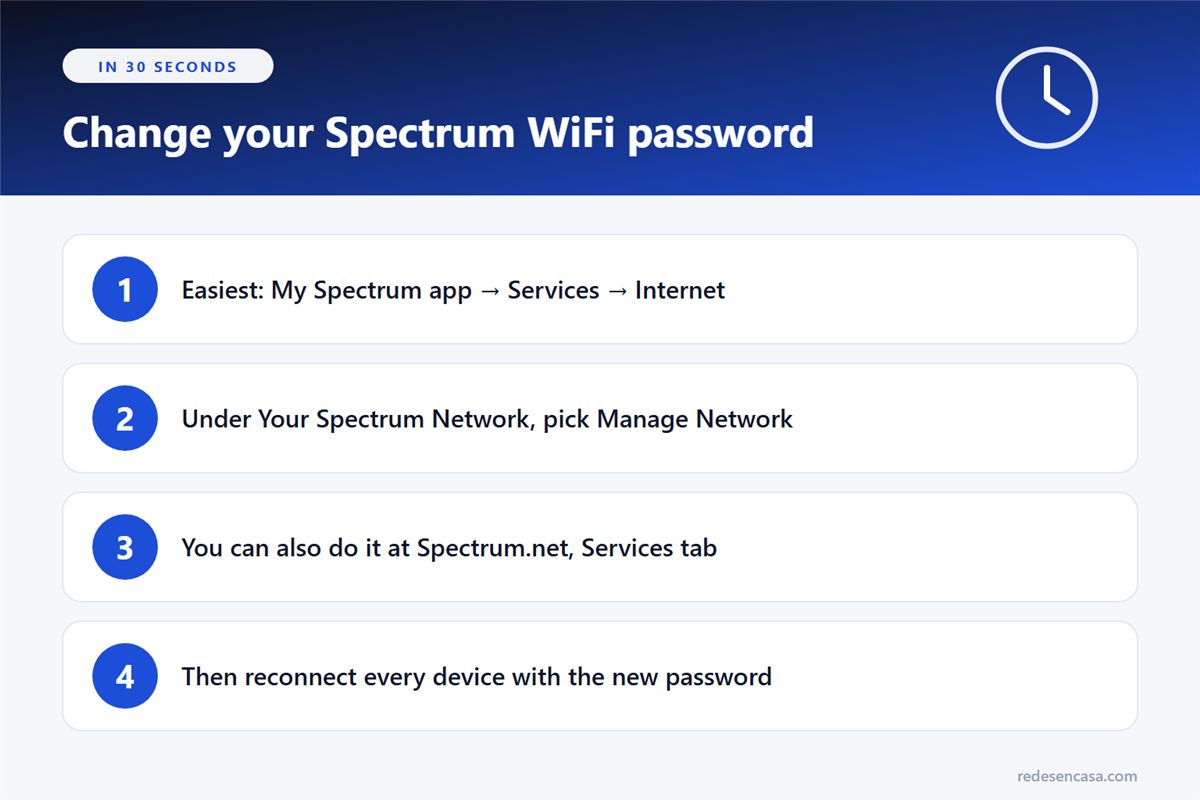
- Open the My Spectrum app and sign in with your Spectrum username and password.
- Select Services in the menu at the bottom, then the Internet tab.
- Scroll to Your Spectrum Network and select Manage Network (or the network you want to edit).
- Change the network name, the password or both, and select Save.
Write down the new name and password before you leave the screen, as Spectrum suggests. Menu labels can change slightly between app versions, but the path is always Services, Internet and your network.
Option 2: on Spectrum.net
- Go to Spectrum.net and sign in.
- Open the Services tab and find your internet service.
- Select your network, change the password and save.
If you reset or replace the router
When you reset a Spectrum router, every device disconnects and you’ll be asked to set the WiFi name and password again. Spectrum’s own tip is a good one: use the same name and password as before, and your devices reconnect without you having to set each one up again.
| Setting | Also called | Where to change it |
|---|---|---|
| Network name | SSID | My Spectrum app or Spectrum.net |
| Spectrum WiFi password | WPA key, passphrase, security key | My Spectrum app or Spectrum.net |
| Default name and password | Router label | On the back of the router |
How to pick a strong WiFi password
Since you’re changing your Spectrum WiFi password anyway, make the new one count. These rules are enough:
- At least 12 characters. A phrase you can remember beats a short word full of symbols.
- Mix upper and lower case and numbers. Skip unusual symbols: some printers, smart plugs and older devices won’t accept them.
- Nothing personal: not your name, street, phone number or birthdays.
- WPA2 or WPA2/WPA3 security if the gateway lets you choose. Never WEP or an open network.
Not sure which security mode to pick? We explain it in WPA2 vs WPA3, and how to secure your home network covers the other settings most people skip.
After the change: reconnect your devices
As soon as you save the new password, everything on WiFi disconnects. Reconnect each device:
- Phones and laptops: pick your network and enter the new password. If they don’t ask, choose «Forget this network» and connect again.
- Smart TV and streaming sticks: rejoin the network from the TV’s network settings. If it keeps dropping afterwards, see smart TV keeps disconnecting from WiFi.
- Consoles, Alexa and printers: these are the ones that most often get stuck. We have guides for Alexa, the printer and Xbox.
- Spectrum WiFi Pods: if you have them, they’re managed from the same app and pick up the change automatically.
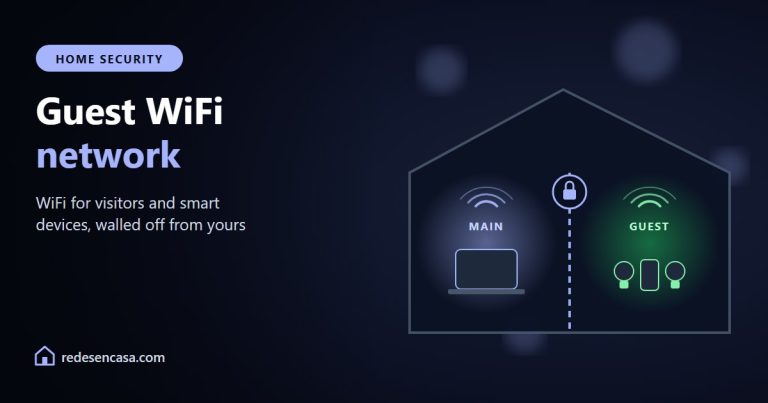
If you changed your Spectrum WiFi password because you suspected someone was using your connection, check afterwards which devices are still on it with how to tell if someone is using your WiFi. And if you often share the password with guests, a guest WiFi network saves you from changing it again.
Spectrum WiFi doesn’t reach every room?
A new password won’t improve coverage. If some rooms get a weak signal, you have two options: rent the extenders Spectrum offers, or add your own. A mesh system covers a whole home with one network; the first unit connects to the Spectrum gateway with a cable and the others spread the signal.
If only one room is the problem, a WiFi 6 extender like the TP-Link RE700X is enough.
More options in the best WiFi mesh systems and the best WiFi extenders.
And when you’re away from home
A strong password protects your home network, but it does nothing for you on public WiFi: the network at a coffee shop, hotel or airport is shared with strangers. There, what protects you is a VPN, which encrypts everything you send from your phone or laptop. We explain it in is public WiFi safe?.
One of the easiest to use is NordVPN: it works on any connection, including Spectrum and your mobile data, installs in a minute and has a 30-day money-back guarantee.
Spectrum WiFi password: FAQ
How do I change my Spectrum WiFi password?
In the My Spectrum app: Services, Internet tab, Your Spectrum Network and Manage Network. Change the password and save. You can also do it on Spectrum.net, under the Services tab.
Where is my default Spectrum WiFi password?
On the label on the back of your router or gateway. With Spectrum WiFi equipment from 2013 or later, you can also see it in your online account.
What is the WPA key on Spectrum?
It’s just another name for your WiFi password. Spectrum also calls it the network security key or WPA/WPA2 passphrase.
Can I change my Spectrum WiFi password without the app?
Yes, on Spectrum.net: sign in, open the Services tab, select your network and change the password.
What happens to my devices after I change it?
Every device on WiFi disconnects and needs the new password. If you reset the router instead, reuse the old name and password so they reconnect on their own.
Conclusion
To change your Spectrum WiFi password, open the My Spectrum app and go to Services, Internet and Manage Network, or do the same on Spectrum.net under Services. Write down the new password, make it at least 12 characters long, and reconnect your devices.
🔎 Can’t log in? Our router login finder has the address, username and password for every provider and brand, plus what to do if the page won’t load.