Is Public WiFi Safe? How to Protect Yourself (2026)
So, is public WiFi safe? The honest answer: not by default. The free network at your hotel, airport or favorite coffee shop was built for convenience, not security — and anyone sitting nearby with free software can, under the wrong conditions, see more of your traffic than you would ever imagine. The good news is that protecting yourself takes five minutes and doesn’t require being a tech expert.
In this guide you’ll see exactly when public WiFi is dangerous, what attackers can actually do, and the habits and tools that make any network safe to use — so you never have to wonder «is public wifi safe» again before checking your bank account at an airport.
Table of Contents
What can actually happen on public WiFi
These are the real attacks that make people ask whether public WiFi is safe — not movie hacking, just things that happen every day:
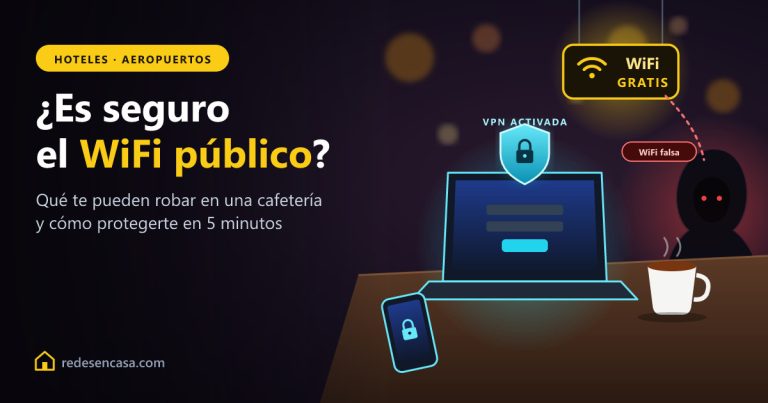
- Evil twin hotspots: someone creates a network called «Airport_Free_WiFi» next to the real one. You connect to theirs, and every site you visit goes through their laptop first.
- Man-in-the-middle attacks: on a badly configured network, an attacker places themselves between you and the router and inspects your traffic.
- Snooping on unencrypted traffic: anything you send over plain HTTP can be read as easily as a postcard.
- Session hijacking: stealing the cookies that keep you logged into a site, letting the attacker «become you» without ever knowing your password.
- Malware distribution: fake login portals («sign in to use our WiFi») that harvest emails and passwords.
Isn’t HTTPS enough? (mostly, but…)
You’ve probably heard that the padlock in your browser means you’re safe. HTTPS does encrypt the content you exchange with each website, and that’s a huge improvement. But it doesn’t make the question «is public wifi safe» go away, for three reasons:
- Metadata is still visible: anyone on the network can see which sites and services you connect to, even if they can’t read the content. Your bank’s name, your medical portal, your dating app — all visible.
- Not everything uses HTTPS: many apps, smart devices and older sites still send data unencrypted in the background.
- Fake portals and evil twins work anyway: if you type your password into a fake login page, HTTPS on the real site doesn’t help you.
5 things you should never do on public WiFi
If you’re on an unprotected public network without a VPN, avoid these until you’re on a safe connection:
- Online banking or investments — the prize attackers care about most.
- Shopping with your card — entering card numbers on shared networks is asking for trouble.
- Logging into your main email — whoever controls your email can reset every other password you own.
- Work logins and company files — you don’t want to be the reason your company gets breached.
- Anything on a network with no password at all — open networks (no lock icon) don’t encrypt the WiFi link itself.
The real fix: use a VPN
A VPN (virtual private network) encrypts all the traffic leaving your device — before it even touches the WiFi network. With a VPN on, it doesn’t matter if the hotspot is fake, badly configured or actively hostile: everything anyone can capture is an unreadable stream of encrypted data. It’s the single tool that turns the answer to «is public wifi safe» into a yes.
We recommend NordVPN: it’s fast enough that you won’t notice it’s on, works on phones, laptops and tablets at the same time, includes Threat Protection that blocks malicious sites, and has a 30-day money-back guarantee so you can try it risk-free. Turn it on once, set it to auto-connect on unknown networks, and forget the problem exists.
Other habits that keep you safe
- Verify the network name with staff before connecting — evil twins rely on you guessing.
- Turn off auto-join for open networks on your phone, so it never connects without asking.
- Use your phone’s hotspot instead when doing anything sensitive: your 4G/5G data connection is encrypted by design.
- Keep your system updated — most session-hijacking tricks exploit already-patched holes.
- Turn on 2FA everywhere — even a stolen password becomes useless without your phone.
- Forget the network when you leave, so your device doesn’t reconnect silently next time you walk past.
Summary table: risks and solutions
| Risk | How it works | Protection |
|---|---|---|
| Evil twin hotspot | Fake network with a familiar name | Verify name with staff + VPN |
| Man-in-the-middle | Attacker sits between you and the router | VPN encrypts everything |
| Traffic snooping | Reading unencrypted data on the network | HTTPS + VPN |
| Session hijacking | Stealing login cookies | VPN + 2FA + updated browser |
| Fake login portals | Phishing page disguised as WiFi login | Never reuse your email password |
FAQ: is public WiFi safe?
Is public WiFi safe for banking?
Not without protection. Banking apps use strong encryption, but on public WiFi you’re still exposed to fake hotspots and phishing portals. If you must check your bank away from home, use your phone’s mobile data or turn on a VPN first — with a VPN active, banking on public WiFi becomes safe.
Is public WiFi safe if it has a password?
A password on the door doesn’t protect you from the people already inside. Everyone in the cafe gets the same password, so a shared-password network only keeps out people on the street. Treat password-protected public WiFi with the same caution as an open network.
Can someone see what I do on public WiFi?
They can see which sites and services you connect to (metadata), and on badly secured networks they may capture unencrypted traffic entirely. With a VPN on, all they see is an encrypted stream going to one server — no sites, no content, nothing usable.
Is hotel WiFi safer than coffee shop WiFi?
Not really. Hotel networks have more users, stay busy around the clock and are a favorite target precisely because travelers check email and book things with cards. The same rules apply: verify the network name, avoid sensitive logins, and use a VPN.
Does a VPN really make public WiFi safe?
Yes — it’s the one tool designed exactly for this. A VPN encrypts all traffic leaving your device before it touches the network, so fake hotspots and snooping tools capture only unreadable data. Combined with 2FA and basic caution, it removes virtually all public WiFi risk.
Is it safe to use public WiFi with an iPhone?
iPhones and modern Androids encrypt more than old laptops did, but they’re equally exposed to evil twin hotspots and phishing portals. The platform doesn’t matter as much as the network: use a VPN app and disable auto-join for open networks.
Conclusion
So, is public wifi safe? On its own, no — but it’s easy to make it safe. HTTPS protects part of your traffic, good habits close most doors, and a VPN closes all of them at once by encrypting everything you send before it leaves your device.
If you connect to hotel, airport or cafe networks even a few times a month, a VPN subscription costs less than one coffee per month and removes the entire problem. Set it to auto-connect on unknown networks and never think about it again.
More guides that can help you
- Laptop WiFi Slow: Why It Happens and How to Fix It
- iPhone Not Connecting to WiFi: Complete Fix Guide
- Best WiFi Extenders 2026: Definitive Guide
- Best WiFi Mesh 2026: Which to Buy
- TP-Link Repeater Connected But No Internet: Fix Guide
- .BIN Firmware File: Complete Guide